
Campo provides a series of transcripts of records for all students.
Where can I find the transcripts (overview of grades)?
These documents can be accessed by selecting the following submenus from the main menu:
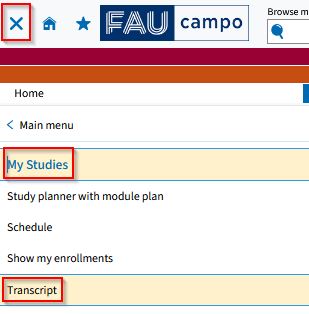
- “My Studies”
- “Transcript”
The “Transcript” screen is divided into three sections:
- Achievement data (1)
- Study history (2)
- Documents (3)
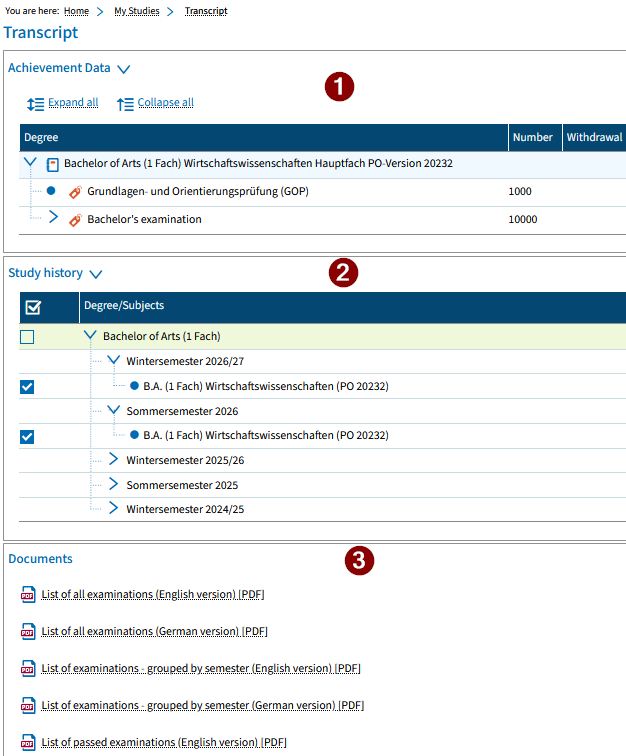
Achievement data
In the “achievement data” section, you can view all achievements that you have completed in the selected degree program.
By default, the achievement data is shown for the current semester of the selected degree program(s).
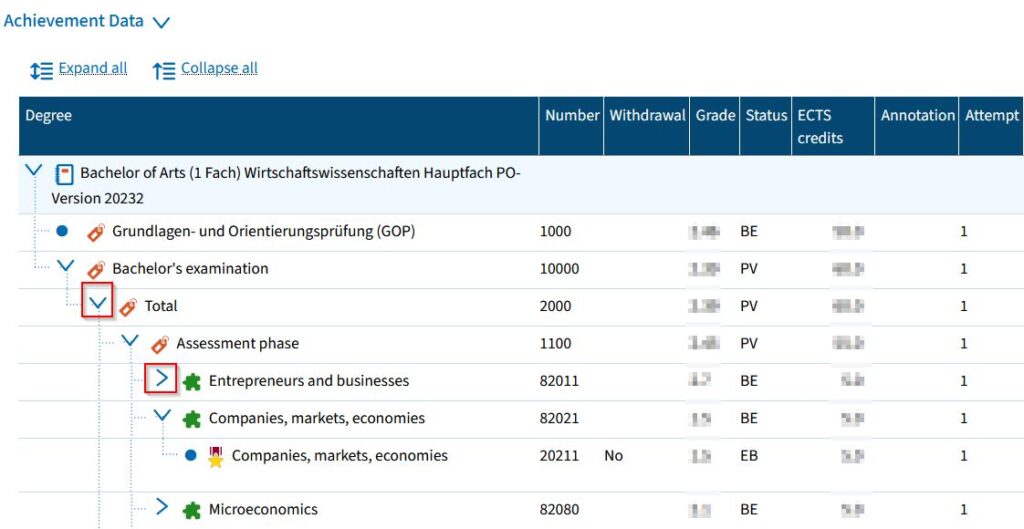
Achievements are displayed in a hierarchy, with the examination regulations on the top level, followed by the modules and the examinations and teaching units.
You can show or hide all levels at once by clicking “Expand all” or “Collapse all”.
You can also use the blue arrow icons to expand or collapse a specific level.
Study history
Achievements are displayed according to the degree or subject selected. If you select the check box next to these items, the achievement data for these levels will be displayed and the relevant data will be exported into the documents.
Example:
You are on a Master’s degree program and would like to access the documents about the Bachelor’s degree you have already completed at FAU. To do so, remove all the checkmarks in your study history and only place a checkmark in the green line with the entry called “Bachelor of….”.
Documents
In the “Documents” section you can download important student documents in PDF format.
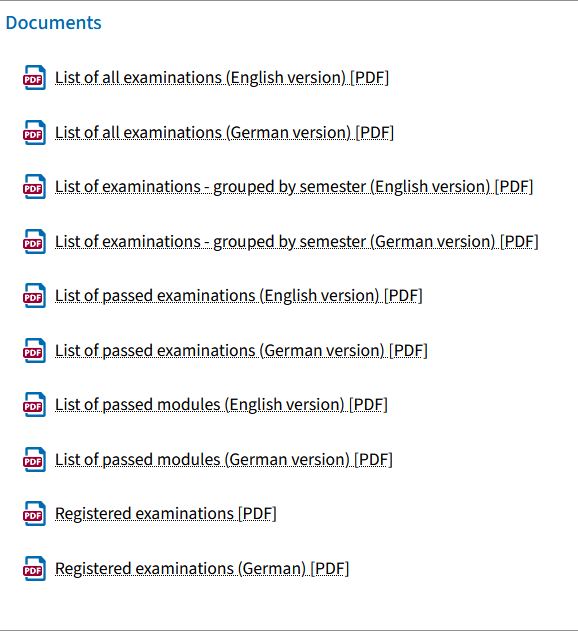
The different versions of the transcript include more detailed information than is shown in the achievements data section such as accredited achievements.
Other documents such as the certificate of enrollment are available by following the menu path “My studies” > “Student service” > “Documents”.