
In addition to the course catalog, students can find all modules associated with their degree program and their descriptions directly in their campo account.
Where can I find module descriptions?
You do not necessarily have to be logged in to campo to access the module descriptions.
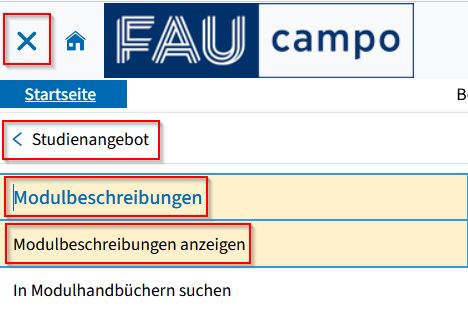
To access the search screen for module descriptions, follow this path in the main menu:
- “Studies offered”
- “Module descriptions”
- “Show module descriptions”
Now, proceed as follows:
You can search by entering the examination regulations title, degree program or subject.
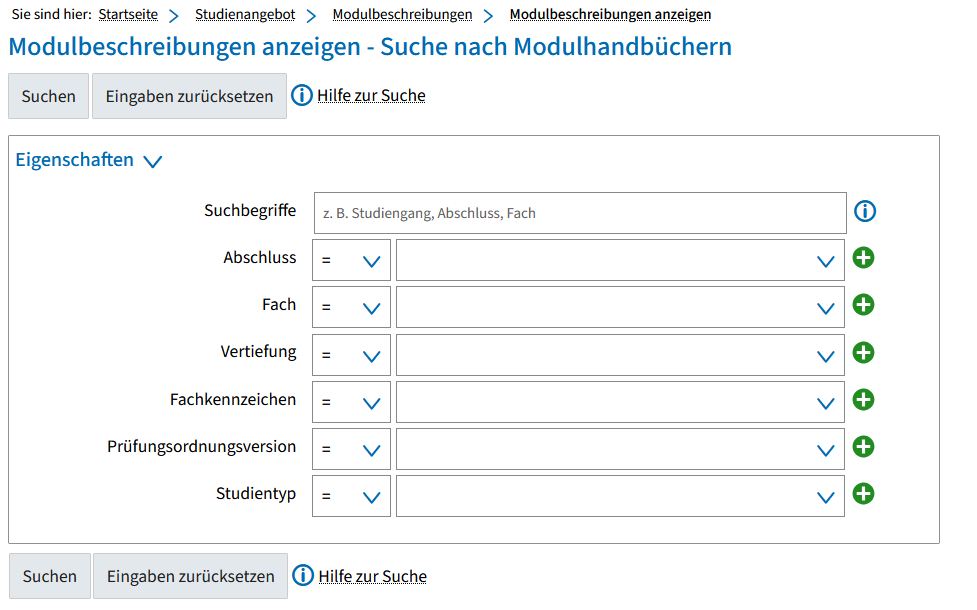
If your search brings up more than one result, you are forwarded to a results list.
Choose a degree program from the results list by clicking on the default text or the tree icon; this takes you to the structure of the degree program.
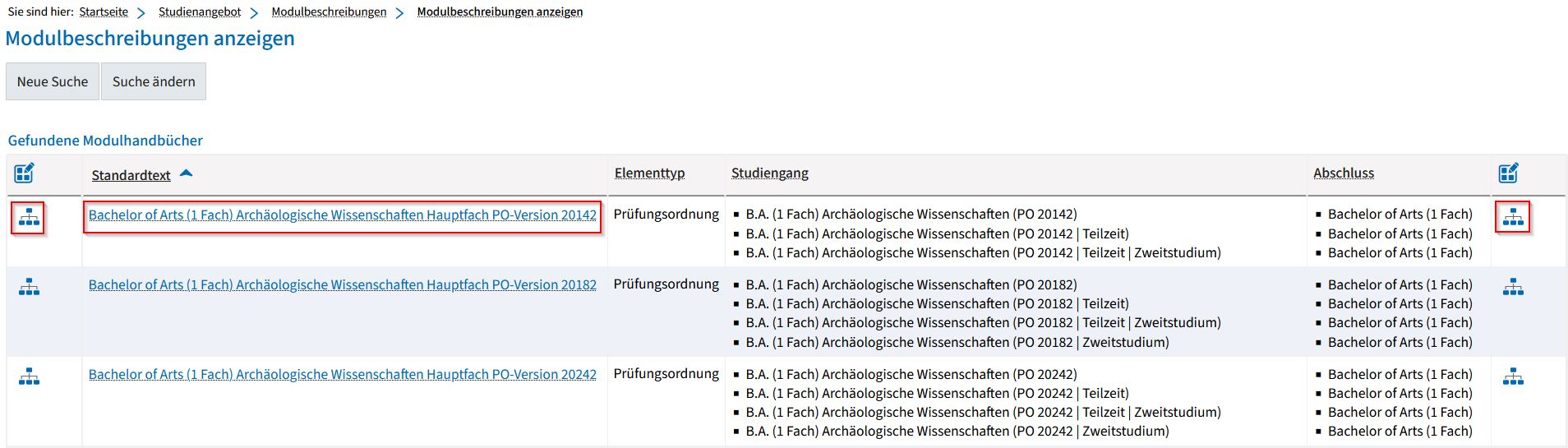
Please note that each version of degree program and examination regulations is displayed as a separate degree program in campo. Please check the Degree program and examination regulations page to see which examination regulations apply to you.
You can view further details for each entry in the tree structure (examination regulations, level, module, course and examination) by clicking on the magnifying glass icon to the right of each row.
Modules are represented by the green puzzle piece icon.
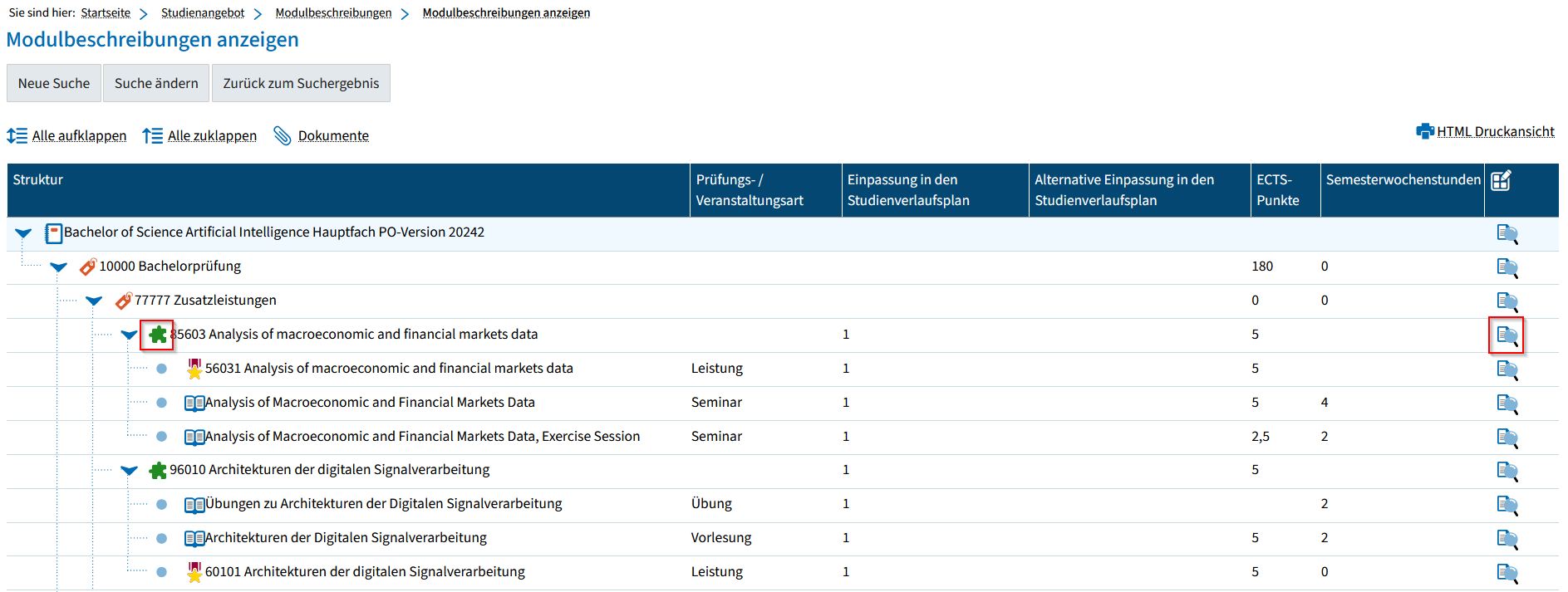
To show the module description, click the magnifying glass icon next to each module entry.
If you click the small blue arrows in the menu tree, you can show and hide the underlying structures.
On the “Display module description” screen, you will see general information and the courses associated with the module. The module description for the selected module is shown beneath this.

If you want to return to the degree program structure you can click the “Back to module description” link at the top left.
If you are already enrolled, once you are logged into campo, you will find your degree program’s module handbook on the campo start page under “Module handbook”.